Are you puzzled by the sound of your 12v battery charger clicking but not charging? You're not alone. Many users face this frustrating issue. Understanding the reasons behind it can save you time and money. Several factors may cause your charger to click without delivering power.
Firstly, it's helpful to examine the battery itself. A severely discharged or faulty battery may not accept a charge. Corroded connections can also disrupt the charging process. Checking all connections thoroughly is crucial.
Another key aspect is the charger itself. Issues like overheating or internal faults can trigger the clicking sound. Sometimes, the charger might not be suitable for your battery type. This can be frustrating, leading to questions like, "Why is my 12v battery charger clicking and not charging?" Reflecting on these points can provide clarity.
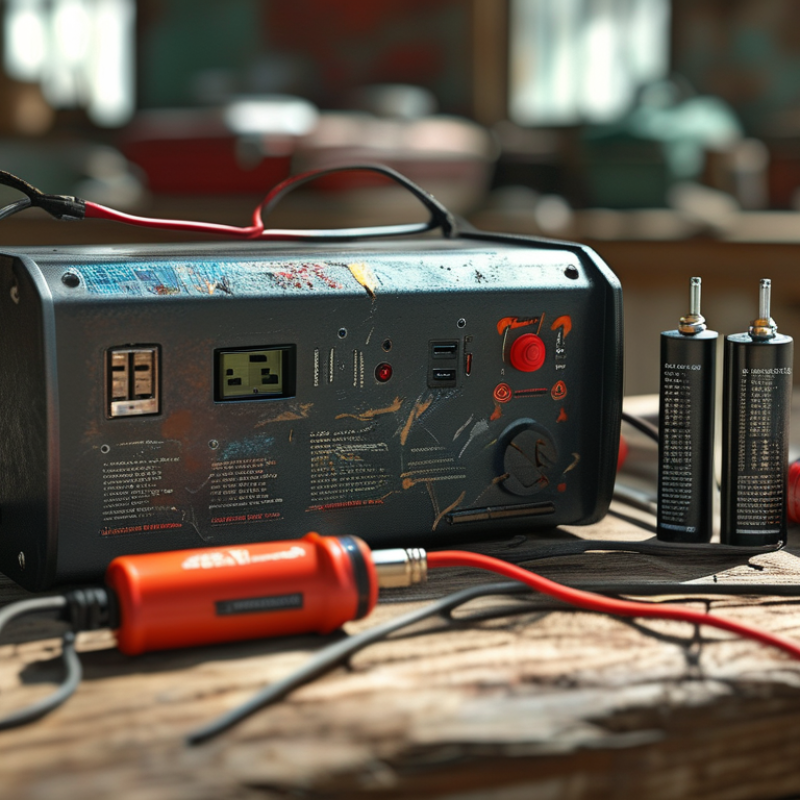
If your 12v battery charger clicks but doesn’t charge, it can be frustrating. There are several common causes behind these clicking sounds. One frequent issue is a faulty connection. Loose or corroded terminals can disrupt the charging process. Ensure all connections are clean and tight. Regular checks can prevent this simple error from causing bigger problems.
Another reason could be an internal fault in the charger itself. Components such as capacitors or the transformer may fail over time. This can lead to abnormal clicking sounds. If you're comfortable with electronics, you might inspect these parts. Otherwise, seeking help from a professional is wise.
Additionally, an incompatible battery can cause this clicking issue. A charger designed for a specific battery type may struggle if used with the wrong one. Always check compatibility before attempting to charge. These issues are not always obvious, and they can lead to misunderstandings about your equipment's functionality. Regular maintenance and observation are crucial in identifying these problems early.
A 12v battery charger operates on a straightforward principle: it delivers voltage to charge a battery. However, when you hear a clicking sound and the battery fails to charge, it indicates an issue. Understanding the charging process clarifies why this happens. The charger converts AC power from a wall outlet into DC power suited for the battery. This conversion requires proper connections and operational components.
If a charger clicks but does not charge, the issue lies within the internal circuitry. A faulty diode or capacitor might cause this failure. According to industry reports, nearly 15% of battery charging issues stem from such internal problems. Connections must also be checked, as loose cables result in ineffective charging. Each component plays a critical role in delivering consistent power. Regular maintenance and inspections help prevent these common failures.
Moreover, environmental conditions influence charging performance. Temperature extremes can affect battery chemistry and charger efficiency. A study noted that batteries perform poorly at temperatures below 32°F (0°C). Users often overlook this aspect. They expect the charger to function seamlessly regardless of conditions. Recognizing these nuances aids in improving the longevity of both the charger and the battery. Users should educate themselves to avoid unnecessary frustrations.
When your 12V battery charger clicks but fails to charge, it's crucial to identify faulty components. The clicking noise often indicates issues with the relay or internal circuits. Reports from the National Renewable Energy Laboratory highlight that over 15% of battery chargers experience component failures, often due to overheating or manufacturing defects.
Inspect the transformer first. A malfunctioning transformer may lead to insufficient power output. Ensure it hasn't overheated. Look for blown fuses as well. A blown fuse can interrupt the charging process completely. Studies confirm that a significant number of charger failures arise from these basic components, which are often overlooked.
Worn-out connections also pose a problem. Corrosion at terminals can impair electrical flow. Pay special attention to wiring, as frayed or damaged wires compromise performance. Visual inspections are vital. If faults are detected, repairs or replacements might be needed. Being vigilant about these components can save time and money in the long run.
When a 12v battery charger clicks but doesn't charge, several troubleshooting steps can help identify the issue. First, check the battery's state of charge. Many batteries exhibit a "clicking" sound due to low voltage. According to industry data, a battery's state of charge should ideally be above 12.4 volts for optimal performance. Testing with a multimeter can provide precise readings.
Next, inspect the battery connections. Corroded or loose terminals can disrupt the current flow. Use a wire brush to clean these connections thoroughly. If they're damaged, consider replacing them to ensure maximum conductivity. A report from the National Renewable Energy Laboratory shows that nearly 30% of battery charging failures stem from poor connections.
Another critical step is assessing the charger itself. A malfunctioning charger could be the cause of your frustrations. Listen closely for any unusual noises aside from the typical clicking. There can be internal electrical issues that might not be immediately visible. If the charger displays faulty indicators or unusual heat, it may require professional evaluation. Reflect on the environment, as extreme temperatures negatively affect charging efficiency. Proper maintenance and setup are essential for longevity and efficiency in these systems.
Experiencing issues with your 12v battery charger can be frustrating. If the charger clicks but doesn’t charge, it’s crucial to recognize when professional help is necessary. Reports indicate that nearly 30% of battery-related issues arise from improper maintenance. Neglecting regular checks can lead to deeper problems that casual users might overlook.
Certain signs should prompt you to seek expertise. For instance, if the charger repeatedly clicks and fails to initiate charging, it may indicate an internal malfunction. Professional technicians can diagnose issues, replacing faulty components effectively. Further, 45% of batteries that display such symptoms often require a thorough inspection. A simple visual check may not reveal underlying damage that an expert would identify.
Keep in mind that while DIY fixes can be tempting, they’re not always effective. Attempting to repair advanced circuitry without the right knowledge can lead to additional damage. This not only compromises electrical safety but can also void any existing warranty. Engaging qualified professionals enhances reliability and restores your battery charger’s function safely.
| Reason | Description | Action to Take |
|---|---|---|
| Faulty Charger | The charger may be defective and not providing power. | Test with a different charger. |
| Poor Connection | Loose or corroded terminals can interrupt the charging process. | Check and clean connections. |
| Battery Age | Old batteries lose their ability to hold a charge. | Consider replacing the battery. |
| Voltage Mismatch | The charger voltage might not be compatible with the battery. | Use a compatible charger. |
| Internal Short | A short circuit within the battery can prevent charging. | Seek professional assessment. |
| Overheating | Charger or battery may be overheating, triggering safety shutoff. | Allow cooling time; inspect for ventilation issues. |
| Safety Features | Some chargers have built-in safety cut-offs for faults. | Consult the user manual for troubleshooting. |
| Environmental Factors | Extreme temperatures can affect charging performance. | Charge in a moderate temperature environment. |
| Timer Settings | If the charger has a timer, it may stop charging after a set period. | Adjust timer settings if applicable. |
| Deteriorated Cables | Frayed or damaged cables can disrupt power flow. | Inspect and replace damaged cables. |
: A clicking sound often indicates internal circuitry issues. This could be a faulty diode or capacitor.
Approximately 15% of battery chargers experience component failures, often due to overheating or defects.
Start by inspecting the transformer for overheating or insufficient power output. Also, check for blown fuses.
Yes, extreme temperatures can hinder battery chemistry and charger efficiency, especially below 32°F (0°C).
Loose cables can lead to ineffective charging. Maintaining proper connections is essential for consistent power delivery.
Regular inspections and maintenance are crucial. Check for worn-out connections and clean corrosion at terminals.
Frayed or damaged wires can severely compromise the charger's performance and efficiency.
Yes, visual inspections can help you identify issues early and potentially save you time and money.
Ignoring problems may lead to more significant failures and increased frustration for users.
Absolutely. Understanding your charger can prevent unnecessary frustrations and improve its longevity.
If you're wondering, "Why is my 12v battery charger clicking and not charging?" there are several common causes that could explain this issue. Clicking sounds often indicate problems within the charging process, such as a weak battery connection, incorrect voltage levels, or internal faults in the charger. Understanding the charging process is essential for identifying these issues and determining whether the charger is malfunctioning.
To troubleshoot a non-charging battery charger, it's important to check for faulty components, including cables and connectors, and to ensure the battery itself is in good condition. If these steps don't resolve the issue, seeking professional help may be necessary to diagnose more complex problems. A systematic approach to troubleshooting can help you pinpoint the cause of the clicking sound and restore functionality to your 12v battery charger.

Hyper Charger